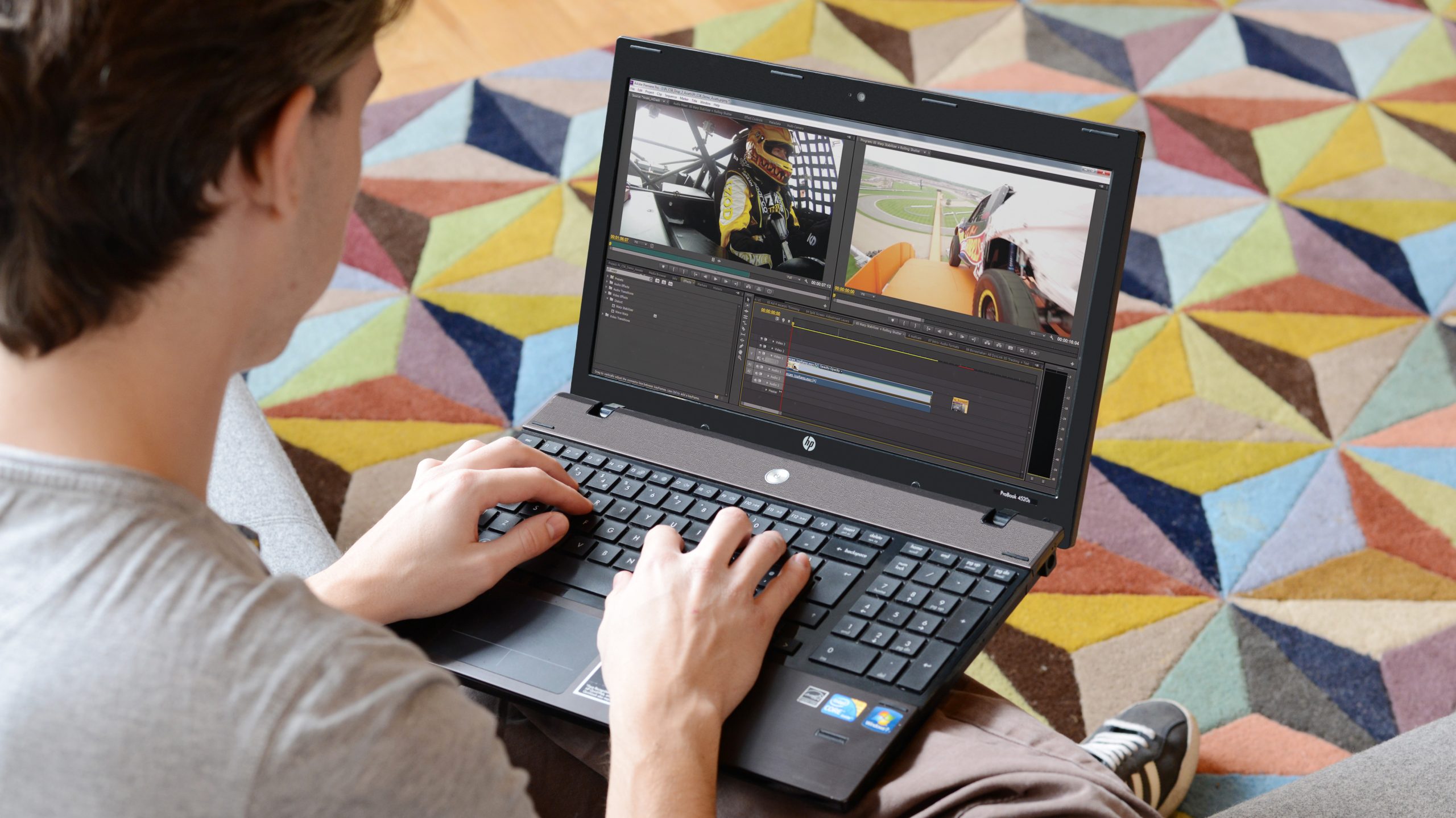
Adobe Premiere pushes laptops to their limits, so editors need machines built for speed and reliability. Strong processors, ample memory, and crisp displays keep your workflow smooth, while tools like shortcut keyboards and editing controllers make cutting and color grading faster. MacBook Pro and MacBook Air models with advanced chips and Retina screens are top choices for seamless video work
For Windows users, the HP ZBook Studio G11 combines high RAM and a strong GPU for heavy tasks. Tools like the JCPal shortcut keyboard cover and the TourBox NEO controller provide easier access to Premiere’s features. This guide highlights top laptops and accessories suited for Adobe Premiere editing, helping you find the best gear for your editing needs.
1. Jcpal Adobe Premiere Pro Shortcut Guide Keyboard Cover

The JCPal Adobe Premiere Pro Shortcut Guide Keyboard Cover is ideal for creative professionals, video editors, and MacBook users who want to enhance their workflow efficiency. Specifically designed for Apple MacBook Pro 14 inch (M1-M5), MacBook Pro 16 inch (M1-M4), MacBook Air 13 inch, and MacBook Air 15 inch (M2-M4) models, this keyboard cover is perfect for those who frequently use Adobe Premiere Pro and want quick access to essential shortcuts. It helps both beginners and advanced users speed up their editing process by providing a convenient visual guide directly on their keyboard.
Pros:
- Precise fit for multiple Apple MacBook Pro and MacBook Air models ensuring durability and comfort
- Transparent design with black shortcut markings enhances visibility without compromising the MacBook’s original look
- Helps users quickly learn and recall Adobe Premiere Pro shortcuts, boosting productivity
- Ultra-thin and lightweight, measuring only 0.039 inches in height and weighing 0.055 pounds
- Protects the keyboard from dust, spills, and wear
Cons:
- May slightly alter the typing feel for some users
- Limited to US keyboard layout, which may not suit international users
- Only compatible with specific MacBook models, not universal
The JCPal Adobe Premiere Pro Shortcut Guide Keyboard Cover is crafted from high-quality materials by JCPAL to perfectly fit the keyboard dimensions of selected MacBook models. Its sleek, transparent design with bold black shortcut keys allows users to easily locate and use important Adobe Premiere Pro commands without searching through menus. This not only speeds up the editing workflow but also reduces the learning curve for new users. The cover’s slim profile ensures it does not interfere with regular typing or laptop portability.
In addition to shortcut accessibility, this keyboard cover offers excellent protection against dust and accidental spills, helping to prolong the keyboard’s lifespan. It is lightweight, weighing just 0.055 pounds, and measures approximately 4.4 inches in width by 10.8 inches in length, ensuring a snug and unobtrusive fit. Whether you are a professional video editor or an enthusiast looking to improve your editing speed, this cover provides both functional benefits and keyboard protection tailored specifically for your Apple MacBook.
To buy this product, click here.
2. Apple 2025 Macbook Pro Laptop

The Apple 2025 MacBook Pro Laptop with M5 chip is ideal for professionals, creatives, and tech enthusiasts who demand top-tier performance and cutting-edge technology. If you are looking for a powerful, reliable, and sleek laptop that can handle intensive tasks like video editing, software development, or graphic design, this laptop is designed to meet your high standards. Its advanced features and robust build make it perfect for users who want to maximize productivity without compromising on style or portability.
Pros:
- Powered by the innovative M5 chip with a 10‑core CPU and 10‑core GPU for outstanding speed and efficiency
- Stunning 14.2-inch Liquid Retina XDR Display delivering vibrant colors and exceptional brightness
- 16GB Unified Memory ensures smooth multitasking and seamless performance
- Ample 512GB SSD Storage for fast data access and plenty of space
- Elegant and durable Space Black design that stands out
- Lightweight and slim dimensions for enhanced portability
Cons:
- Higher price point may not be suitable for budget-conscious buyers
- Limited upgrade options due to unified memory architecture
- Battery life could vary significantly depending on intensive usage
The Apple 2025 MacBook Pro is engineered with the groundbreaking M5 chip, featuring a 10-core CPU and GPU that provide a seamless experience for demanding applications. This makes it an excellent choice for users who require robust computing power, whether for professional creative projects or complex data processing tasks. The integration of 16GB unified memory further enhances its ability to handle multiple applications simultaneously without lag, ensuring efficiency in all workflows.
Featuring a 14.2-inch Liquid Retina XDR Display, this laptop offers crystal-clear visuals with incredible brightness and color accuracy. This is especially beneficial for photographers, video editors, and designers who rely on precise image quality. Additionally, the spacious 512GB SSD delivers rapid storage performance, minimizing load times and accelerating file transfers, which collectively contribute to a smoother user experience. The sleek Space Black finish and compact dimensions make it a stylish and portable companion for users on the go.
To buy this product, click here.
3. Apple Macbook Air 13-inch Laptop

The Apple 2025 MacBook Air 13-inch Laptop with the powerful M4 chip is ideal for professionals, students, and creatives who need a lightweight yet high-performance device. If you value portability, seamless multitasking, and stunning visuals, this laptop is perfect for you. Its combination of advanced features and sleek design makes it an excellent choice for those who want to stay productive and entertained on the go.
Pros:
- Equipped with the latest M4 chip for fast and efficient performance
- Stunning 13.6-inch Liquid Retina Display offering vibrant colors and sharp images
- 16GB Unified Memory ensures smooth multitasking and quick app launches
- 256GB SSD Storage provides ample space with fast data access
- 12MP Center Stage Camera enhances video calls with automatic framing
- Touch ID offers secure and convenient authentication
- Lightweight and sleek design in elegant Midnight color
Cons:
- Limited to 256GB SSD storage, which may not be sufficient for heavy users
- Higher price point compared to some other laptops in the same category
- No dedicated graphics card for intensive gaming or 3D rendering tasks
The MacBook Air 13-inch incorporates Apple’s cutting-edge M4 chip, delivering remarkable speed and power efficiency. This allows users to run demanding applications smoothly while enjoying extended battery life. The 13.6-inch Liquid Retina Display brings images and videos to life with true-to-life colors and sharp details, making it ideal for creative projects, media consumption, and everyday use. The unified memory architecture of 16GB further enhances performance by allowing faster data access and improved multitasking capabilities.
Users will appreciate the convenience of the 12MP Center Stage Camera, which intelligently keeps them centered during video calls, enhancing communication quality. Security is also prioritized with the inclusion of Touch ID, enabling quick and secure logins or purchases. Additionally, the laptop’s sleek Midnight finish and lightweight design make it a stylish and portable companion for work, study, or entertainment, perfectly suited for those who value both aesthetics and functionality.
To buy this product, click here.
4. Hp New Zbook Studio G11 Workstation Laptop
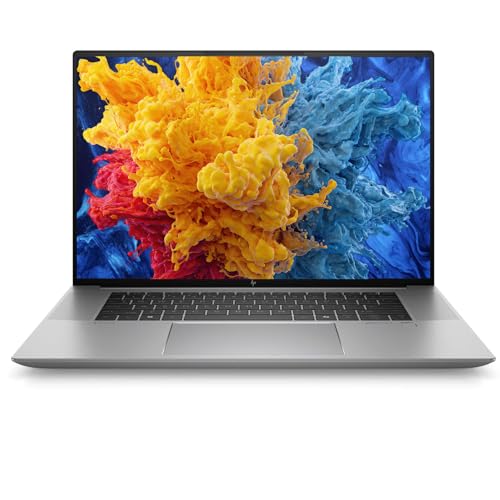
The HP New ZBook Studio G11 16″ Workstation Laptop is ideal for professionals and enterprise users who require high-performance computing for demanding tasks such as 3D rendering, video editing, and software development. This laptop is perfect for those who need a powerful and portable device with robust graphics capabilities and reliable enterprise-grade features.
Pros:
- Equipped with a powerful Intel Core Ultra 7 165H processor for superior multitasking and processing speed
- Large 32GB RAM ensures smooth performance even with heavy applications
- 512GB SSD offers fast storage and quick boot times
- NVIDIA RTX A3000 GPU delivers excellent graphics performance for professional workloads
- Comes pre-installed with Windows 11 Pro for enhanced security and productivity features
- Keyboard with Numeric Pad provides convenience for data entry and professional use
- Sleek and lightweight design with a silver finish and compact dimensions for portability
Cons:
- Relatively high price point which may be a barrier for casual users
- Battery life may be shorter under intensive workloads due to powerful hardware
- Limited to a single SSD storage option without easy upgrade paths
The HP ZBook Studio G11 combines cutting-edge hardware with a sleek design to meet the needs of business professionals requiring a workstation-class laptop. Its 16-inch display offers ample screen real estate for detailed work, while the powerful Intel Core Ultra 7 165H processor and 32GB RAM ensure smooth operation even when running complex software. The inclusion of the NVIDIA RTX A3000 GPU allows for advanced graphics rendering and acceleration, making it ideal for creative and technical professionals alike.
Beyond raw performance, the laptop’s 512GB SSD provides fast data access and storage reliability, contributing to quicker load times and increased productivity. Additionally, the pre-installed Windows 11 Pro enhances security and business functionality, appealing to enterprise users who prioritize data protection and seamless integration with business tools. The ergonomic keyboard with a numeric pad further supports productivity, making this workstation a well-rounded solution for demanding professional environments.
To buy this product, click here.
Frequently Asked Questions
What Laptop Is Best For Adobe Premiere Pro Editing?
The Apple 2025 MacBook Pro with M5 chip is ideal for Premiere editing. It has a 10-core CPU, 10-core GPU, 16GB memory, and a 14. 2-inch Liquid Retina XDR display. Its power handles high-resolution video smoothly.
How Does The Hp Zbook Studio G11 Enhance Video Editing?
The HP ZBook Studio G11 features an Intel Core Ultra 7 165H CPU, 32GB RAM, NVIDIA RTX A3000 GPU, and 512GB SSD. This workstation laptop delivers fast rendering and multitasking, making it excellent for professional Premiere Pro workflows.
Are Keyboard Covers Helpful For Adobe Premiere Shortcuts?
Yes, keyboard covers like JCPal’s Adobe Premiere Pro Shortcut Guide improve editing speed. They provide quick access to shortcuts on MacBook Pro and Air models, enhancing workflow efficiency and reducing time spent searching for commands.
What Benefits Does The Tourbox Neo Controller Offer?
The TourBox NEO is a customizable editing controller compatible with Mac and PC. It boosts productivity by providing programmable buttons and dials, making color grading and timeline navigation in Adobe Premiere faster and more intuitive.
Is The Logickeyboard Wireless Backlit Keyboard Suitable For Premiere Pro?
Yes, the Logickeyboard Wireless Backlit ‘Titan’ keyboard is designed specifically for Adobe Premiere Pro on Mac. It offers backlit keys with Premiere shortcuts, improving usability in low light and speeding up editing tasks.
Can Shortcut Stickers And Mousepads Improve Editing Workflow?
Absolutely. Synerlogic’s Adobe Premiere Pro shortcut stickers and dedicated mousepads provide quick reference for shortcuts. They help editors work faster and more accurately by keeping essential commands visible and accessible during editing sessions.
Conclusion
Choosing the right laptop and accessories can make Adobe Premiere editing easier and faster. Devices like the Apple MacBook Pro with the M5 chip offer strong performance and sharp displays. The HP ZBook Studio G11 is also a great choice for professionals needing extra power.
Accessories such as the JCPal keyboard cover and Logickeyboard wireless keyboard help speed up editing tasks. Tools like the TourBox NEO and shortcut stickers add convenience and improve workflow. Whether you prefer Mac or Windows, these options support smooth video editing.
Remember, a good laptop combined with useful accessories saves time and reduces frustration. Take your editing experience to the next level with gear designed for Adobe Premiere. Your projects will run smoother, and your creativity will flow better. Choose what fits your needs and budget for the best results.